


Computer Labs
We welcome any currently enrolled student to come in, write papers, work on course assignments, browse the web, or just check your e-mail. Remember to bring your current KVCC student ID card, which is required for admittance to the lab. ID cards may be obtained at the Student Service Center in Anna Whitten Hall or at the Texas Township Campus.
Locations
Texas Township Campus
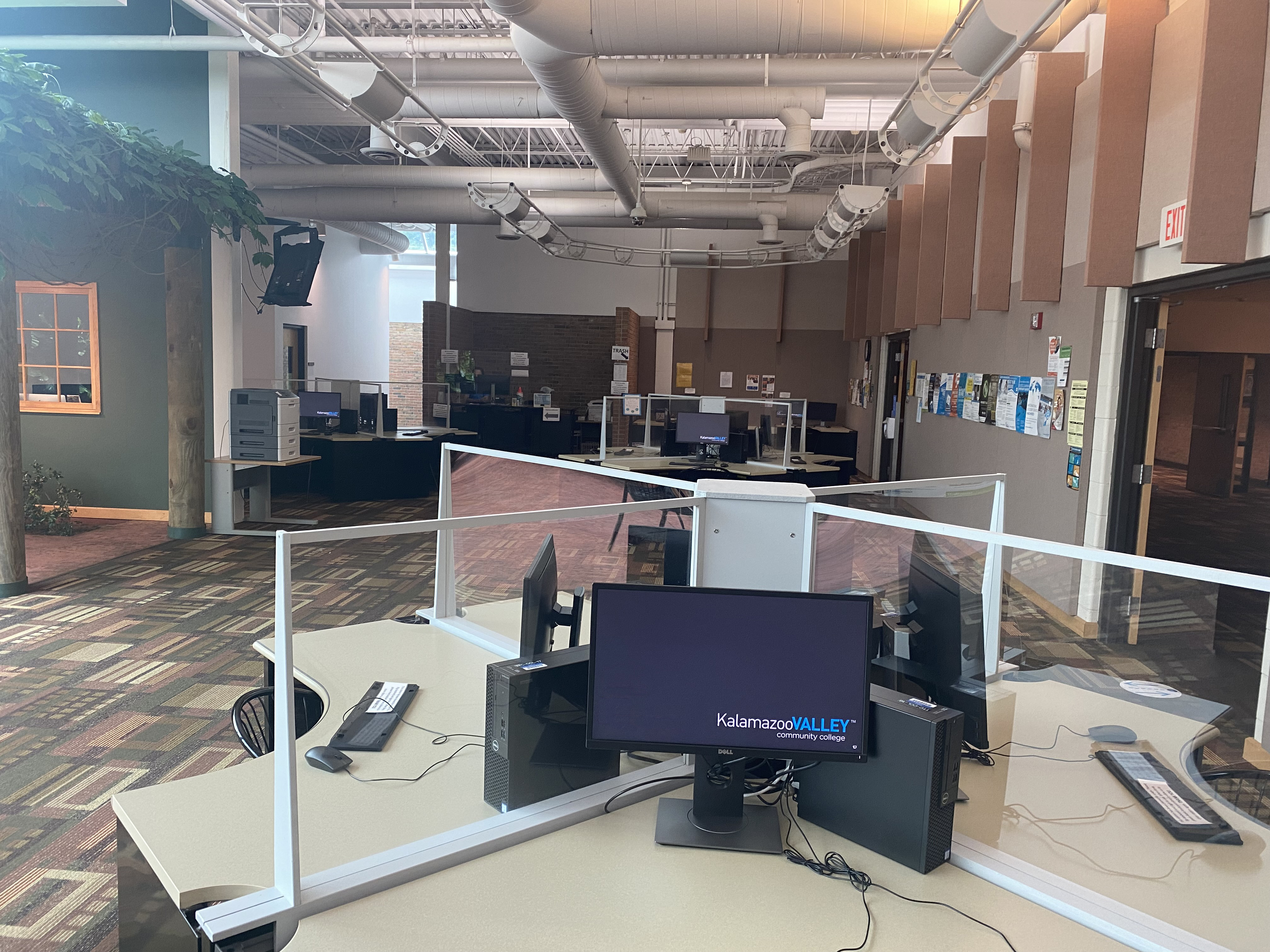
Texas Township Campus
Location: The Commons
Phone: 269.488.4250
Arcadia Commons Campus
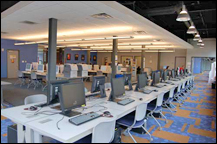
Arcadia Commons Campus
Center for New Media
Room 275
Phone: 269.373.7925
Texas Township Campus
The Texas Township computer lab has both Windows and Macintosh computers available for student use. There is a wide range of software available including Adobe Creative Suite, Microsoft Office, Microsoft Project, Microsoft Visual Studio, MiniTab, MyITLab, accounting software, and much more. Printing in black & white and color, scanners, and headphones are also available.
TTC Computer Lab Hours
Fall/Winter
| Open | Close | |
| Sunday | Closed | |
| Monday | 7:30am | 8:00pm |
| Tuesday | 7:30am | 8:00pm |
| Wednesday | 7:30am | 8:00pm |
| Thursday | 7:30am | 8:00pm |
| Friday | 8:00am | 5:00pm |
| Saturday | 10:00am | 3:00pm |
Summer
| Open | Close | |
| Sunday | Closed | |
| Monday | 7:30am | 8:00pm |
| Tuesday | 7:30am | 8:00pm |
| Wednesday | 7:30am | 8:00pm |
| Thursday | 7:30am | 8:00pm |
| Friday | Closed | |
| Saturday | Closed | |
Arcadia Commons Campus
The Arcadia Commons Campus computer lab caters to both Macintosh and Windows users with both types of computers available. Software includes: Adobe Creative Suite, Autodesk Entertainment Creation Suite, Corel Painter, Microsoft Office, Microsoft Visual Studio, QuarkXPress, audio and video editing software, game engines, and much more.
The lab offers color and black & white printing, as well as photo and large format printing. Scanners can accommodate documents up to 11" x 17" in size, and can also accommodate negatives and slides. Additionally, various items are available to check-out for use in the computer lab. These include Wacom tablets, headphones, memory card readers, CD/DVD drives, CAC readers, and more. We even have a floppy drive!
ACC Computer Lab Hours
Fall/Winter
| Open | Close | |
| Sunday | Closed | |
| Monday | 8:00am | 8:00pm |
| Tuesday | 8:00am | 8:00pm |
| Wednesday | 8:00am | 8:00pm |
| Thursday | 8:00am | 8:00pm |
| Friday | 8:00am | 5:00pm |
| Saturday | 10:00am | 3:00pm |
Summer
| Open | Close | |
| Sunday | Closed | |
| Monday | 8:00am | 5:00pm |
| Tuesday | 8:00am | 5:00pm |
| Wednesday | 8:00am | 5:00pm |
| Thursday | 8:00am | 5:00pm |
| Friday | Closed | |
| Saturday | Closed | |
Technologies Policies and Computer Lab Rules
Computer System & Technologies Policies
Use of Institutional Technologies:
All registered students may use the computers and software available in the student computer labs, libraries and where publicly accessible; only programming students may have access to the main instructional computer system.
Account and System Integrity:
Students shall respect the integrity of computing systems at the institution and at other institutions; i.e., users shall not seek unauthorized access to any system or intentionally damage or tamper with the software or hardware components of any computer system. Users of the computers at the institution shall respect the privacy of other computer accounts reachable through the computing resources; i.e., unless explicitly authorized to do so, users shall not intentionally seek confidential information, read or copy files, install software on the institution's computers, or use accounts and identification other than their own.
Software Copyrights:
The institution requires the respect of intellectual property rights. Copyrighted documentation and software may not be duplicated, photocopied, reproduced, translated, or reduced to any medium or machine readable form in whole or part without prior written consent from the owner of the copyright. Illegal software copying is a violation of copyright laws and may result in legal as well as institutional sanctions.
Using the World Wide Web and Privacy:
Because the institution's network can access computer systems around the world, users must understand that the institution and the system administrators do not have control of the content of information residing on these other systems. Users are advised that some systems may contain defamatory, inaccurate, abusive, obscene, profane or illegal material. The institution does not permit or condone the use of its computer resources to publish or redistribute such material. Users of the institution's computers should realize that nothing on the computer systems is private.
Harassment:
Users of the computer resources at the institution are to act according to the policies stated here and elsewhere in the student handbook. Computer users shall not engage in behavior or language that creates an intimidating, hostile, or offensive environment for others. Individual departments may have additional rules concerning the usage of institutional computers.
Student Computer Lab Rules
- Current KVCC enrollment is required.
- The College's computer resources may be used for College-related business and instructional purposes only (no chatting, game playing or video watching).
- Users of the College's computers shall not seek unauthorized access to any computer system or computer account at the College or elsewhere.
- Users of the College's computers shall not intentionally damage or tamper with the software or hardware components of any computer system.
- The College's computers shall not be used to harass, intimidate, or create an offensive environment for other users.
- Users of the lab should maintain a quiet study atmosphere.
- Copyrighted documentation and software shall not be duplicated, photocopied, reproduced, translated, or reduced to any medium or machine readable form in whole or part.
- Users shall not install software on the College's computers.
- NO FOOD or DRINK CONTAINERS are allowed in computer labs or classrooms.
- No children in the lab.
- Silence or turn off all pagers and cell phones.
Any questions concerning the Student Computer Labs, do not hesitate to stop by the lab desk situated by the entrance.